For years, most organizations have been raising one major issue when it comes to scanning in AppSec: false positives. It is a bane to modern AppSec programs that has numerous negative consequences to the development process.
In today’s high-paced software development process, where velocity and accuracy are paramount, false positives have become an obstacle to most DevSecOps teams. Many studies have shown that more than 40% of security alerts in automated pipelines come out as noise in AppSec.
It mostly occurs when a scanning tool incorrectly flags any code segments or configurations as a vulnerability. While they might seem like just a harmless noise but huge numbers of false positives lead to alert fatigue.
Today, we are going to talk about common security false positives examples and what organizations can do to avoid them.
Why Do False Positives in AppSec Occur?
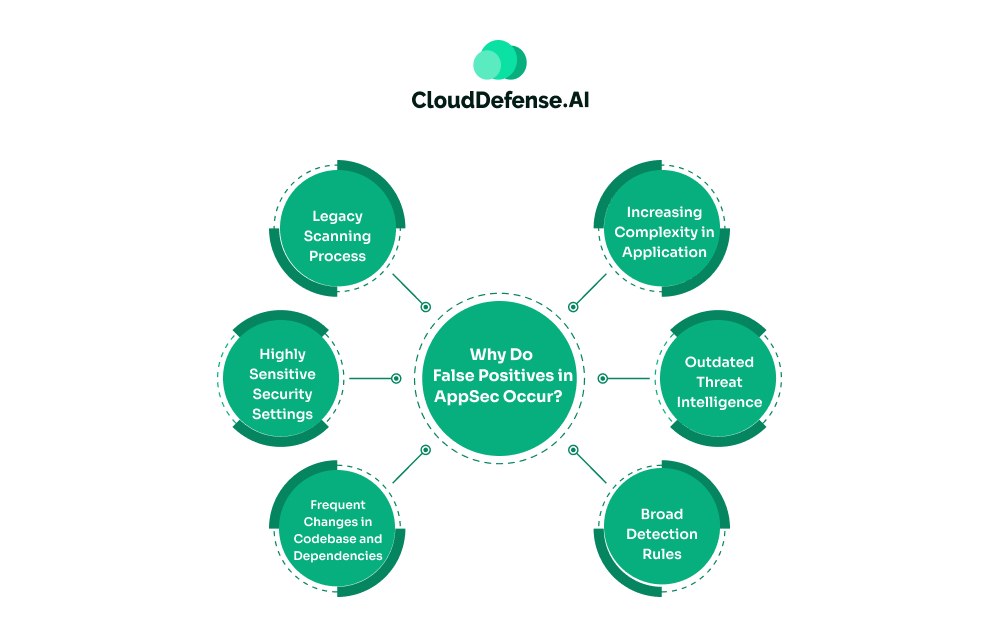
Before knowing about common security false positives examples, it is vital for development and security teams to learn why these noises occur. There are several reasons that contribute to numerous false positives during scanning:
- Legacy Scanning Process: Organizations relying on traditional AppSec tools like SAST and DAST mostly face high false positives. These tools utilise pattern-matching techniques and lack any context of the code, causing significant amounts of false alarms.
- Highly Sensitive Security Settings: Many scanning tools, when improperly configured or kept at default settings, are often set to high sensitivity. So when the tool starts scanning the codebase, it flags code even with the slightest deviation or having the potential to be malicious.
- Frequent Changes in Codebase and Dependencies: The Modern software development approach is evolving rapidly, causing frequent changes in codebases with the addition of new codebases. Traditional scanning tools like SAST fail to cope with the changes and often miss the context of new dependencies, leading to false alerts.
- Increasing Complexity in Application: Another major aspect that leads to high false positives in AppSec scanning is increasing complexity in applications. Modern applications utilise a lot of third-party dependencies and microservices, making it difficult for tools to accurately understand the reachability and complexity of identified security findings.
- Outdated Threat Intelligence: Organizations often rely on multiple scanning tools in AppSec to identify vulnerabilities in their application. Difference in threat signatures and databases across these tools causes inconsistency in classification, which ultimately leads to high false alerts.
- Broad Detection Rules: Many standard AppSec tools used for scanning are based on a large rule set. They leverage a broad set of rules to identify any potential threat to the application. Even though it acts as a preventive approach to prevent any threat from slipping away, it also identifies code segments that are not actually a threat. As a result, developers are met with a huge number of false alerts.
Common False Positives in AppSec
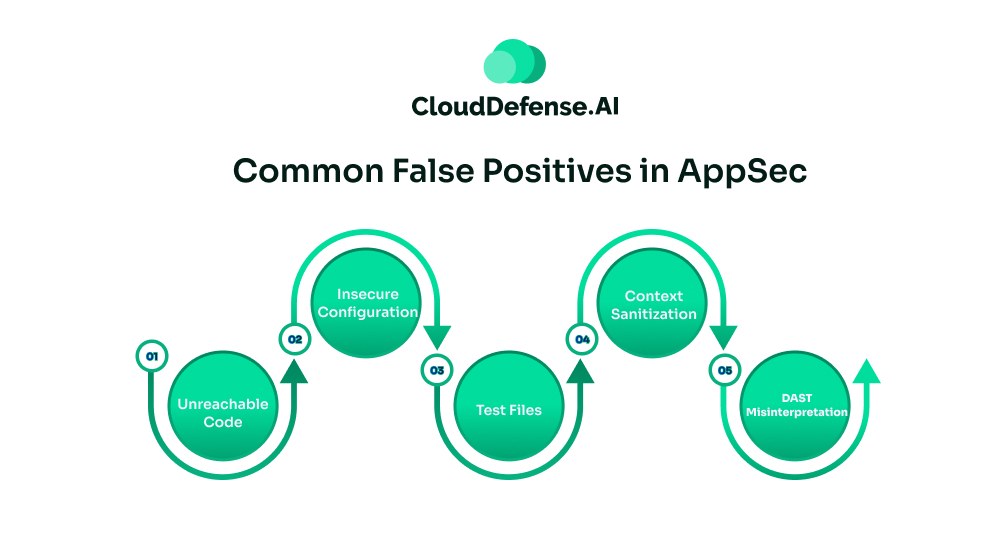
AppSec scanning tools like SAST and DAST generate a varied type of false positives throughout the lifecycle. However, there are some common false alarms that have always been a nightmare in the AppSec program:
Unreachable Code
Unreachable or dead code marked as a vulnerability is undoubtedly the most common false positive generated by SAST tools. When the scanners detect hardcoded passwords, unreachable malicious code, and poorly encrypted algorithms, it immediately issues alerts.
However, these are not harmful codes as they only reside in the repository and don’t have any execution path. This code doesn’t get executed in the running environment, ensuring they are completely harmless.
How to Fix it?
Reachability analysis during AppSec scanning is the only way to avoid false positives arising from dead code. Organizations need to leverage scanning tools that perform complete data flow analysis and trace the execution of each vulnerable code.
During the analysis, the tool will trace and analyze the path from user input to the identified vulnerable code. If it doesn’t trace any path, then it will classify the security alert as non-harmful or low priority. It will enable the team to avoid these false positives and put their focus on important alerts.
Insecure Configuration
It is another common false positive that is initiated by SAST tools. During scanning, when the tool finds any security function that is called or a parameter that can be exploited, it quickly flags and sends alerts.
The surrounding code might be safe, but the insecure configuration causes the tool to raise an alert. The eval ( ) function in different scripting frameworks is mostly flagged by scanning tools as it is inherently a security issue.
However, in many instances, developers need to include them to perform any operation in the application. Since the scanning tool isn’t aware of the validation made by developers before calling the function causes the tool to flags it.
How to Fix It?
An efficient way to prevent such false alarms is by adopting an SAST tool integrated with contextual analysis. During scanning, the tool will analyse and understand the context of any function or code in the development. It will evaluate the developer’s intent, business impact, and many other aspects before flagging any suspicious configuration or code.
Test Files
Most standard security scanners in AppSec have limited contextual understanding capability. When it finds a basic hardcoded key in a test file, it considers that the file would leak credentials and break the build to prevent any credential leak.
In reality, these identified secrets or keys are used by developers to test different functions or logic during application development. These default keys are usually non-hazardous and don’t pose any threat to application security.
How to Fix It?
Security teams need to meticulously tune the scanning tools and provide instructions regarding what are the patterns that it should exclude. The team must explicitly exclude all the necessary patterns from the security scans to prevent unnecessary false alerts.
Rather than scanning everything, teams need to configure the tool to focus the scans on vital segments of the codebase. Security teams can also implement a Listing Only policy on the test files and prevent them from getting falsely flagged.
Context Sanitization
In many instances, developers utilise different functions or user input for their application. However, standard scanning tools in AppSec often lack the necessary knowledge of the sanitization methods that are used by the developers. Thus, it often flags code as an XSS, SQL injection, or similar vulnerabilities as it considers this code to be a serious security threat.
Developers use various types of modern frameworks that take care of sanitization, and when the scanner doesn’t recognize the process, it leads to high false positives. On certain occasions, developers also utilize a custom sanitization function and don’t define it in the scanning tool.
How to Fix It?
The best way to solve high false alerts due to a lack of sanitization information is by creating a custom rule configuration. All the SAST tools come with a generic rule set for scanning.
Security professionals need to configure the SAST tool so that it can understand the specific customer sanitization function utilized by developers. The sanitizer function must be exclusively included in the scanner’s configuration file so that the tool can determine whether the code has been sanitized.
DAST Misinterpretation
DAST tools are widely used in AppSec to identify vulnerabilities by simulating attacks on the running application. Even though it serves as an effective scanning technique, the tools can’t often differentiate between vulnerabilities and defense guardrails.
It often happens as the DAST doesn’t hold the context of the internal error handling mechanism. So when an attack is simulated, the web application firewall or internal error handling mechanism blocks the attack. As a result, DAST misinterprets it as a vulnerability and sends a security alert to the vulnerability.
How to Fix It?
Grey box testing is the most effective way to overcome this situation. The DAST scanner must be authorized with the WAF in the testing environment. It enables the scanner to get a context of the application stack and simulate vulnerability tests accordingly. As a result, the number of security false positives examples reduces in the developer’s environment.
Effective Strategies to Avoid False Positives
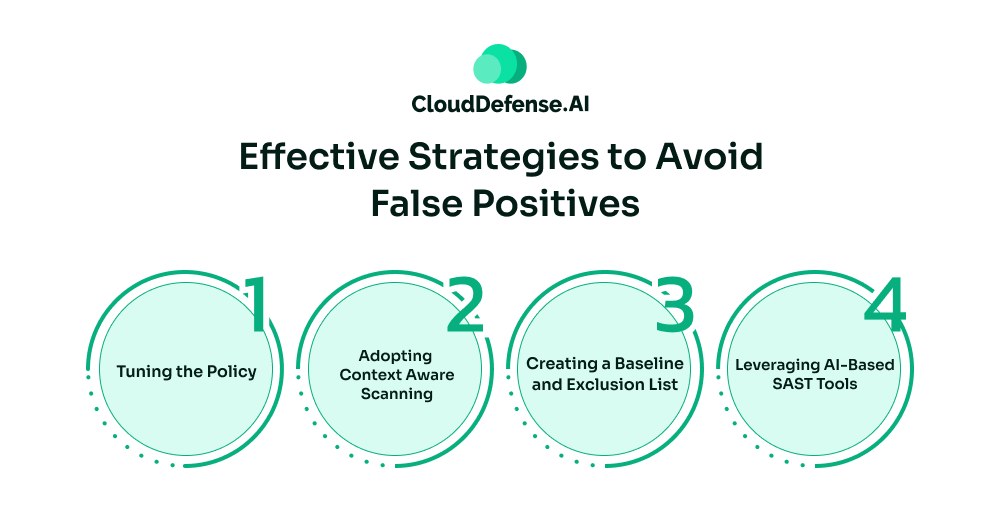
Organizations can’t completely avoid false positives in their development. But they can opt for strategies that will help reduce false alerts into manageable noise. Here are some effective strategies:
- Tuning the Policy: An AppSec scanner usually comes with default configurations to cater to a wide range of vulnerabilities. Even though it serves as a safety measure, it doesn’t suit modern development workflow.
Security professionals have to tune the policy of the tools according to the organization’s security policy and business workflow. Teams also need to configure the tool so that it can exclude certain directories or folders, especially those that are used for testing purposes. - Adopting Context Aware Scanning: Context-aware scanning is an effective way to minimize security false positives examples by a large margin. Security professionals need to tag assets based on their business criticality and provide context to the AppSec scanning.
Tools like SAST also require calibration, where custom sanitization functions and sources must be mapped within the codebase. Similarly, DAST files also need to be calibrated to the configuration, which will highlight the acceptable security baseline and other critical information. - Creating a Baseline and Exclusion List: Security teams need to create a vulnerability baseline and exclusion list for their AppSec program. To create the baseline, the security team must develop a list of acceptable risks and false positives.
It will enable the tool to ignore all the accepted risks. However, both the development and security need to review them at every interval to ensure any code change doesn’t affect the list. - Leveraging AI-Based SAST Tools: Organizations need to shift from traditional SAST solutions to AI-based SAST tools. Among all QINA Clarity has emerged as the best AI-SAST tool that utilizes advanced 4-stage analysis processes to minimise all the false positives.
With seamless integration, advanced path analysis, and context extraction, it is able to achieve 98% signal accuracy in most cases. The tool also provides a smart prioritisation of all the security alerts and feeds them directly into the IDE.
Bottom Line
In AppSec, a huge number of security alerts doesn’t ensure optimum security. A significant amount of false positives indicates lower accuracy and poor efficacy of the AppSec program. The main goal of all the teams is to make necessary approaches to eliminate false alerts as much as possible.
However, avoiding security false positive examples is a continuous process. Organizations need to adopt advanced AI SAST tools, context-aware scanning, appropriate tool tuning, and appropriate policy to minimize the chance of false positives. This guide aims to help organizations by highlighting all the common false positives and how to avoid them. However, organizations can solve all these hassles by adopting modern tools like QINA Clarity that simplify and help developers identify alerts that require immediate response. To know more about QINA Clarity, CISOs can book a free demo at CloudDefense.AI.