A cybersecurity breach doesn’t happen immediately when a security vulnerability is discovered through scanning. It happens in the background when application security isn’t scanning for threats. Relying on point-in-time vulnerability scanning creates a massive window of risk and gives attackers the opportunity to exploit the flaw.
A Cost of a Data Breach Report published by IBM in 2024 stated that organizations require almost half a year to identify a breach. Even though breach detection capabilities have improved over the years, application breaches still happen frequently. This is not only due to failure in detection but also due to a lack of continuous monitoring.
Organizations require a strategic approach like continuous security monitoring that will ensure continuous visibility into the development workflow. It is no longer an option for enterprises; it has become a vital part of modern AppSec strategy. Smart platforms like QINA Pulse help enterprises to orchestrate scheduled automated scans across all the environments.
This guide explores everything about continuous security monitoring and how organizations can use QINA Pulse for automated scans.
Continuous Security Monitoring
Continuous security monitoring is a modern security approach of automatically collecting and assessing security data across an IT environment in real-time. It ensures real-time or near real-time assessment of all the data so that security teams can identify threats as they appear.
The continuous monitor processing ensures that whenever a code is deployed, configuration is modified, or user behavior changes, it is assessed against a preset security baseline in real-time.
As modern cybersecurity is evolving, it is no longer a nice-to-have feature. It has become a necessity for all modern enterprises, as long as breaches happen due to human error, like misconfiguration or privilege misuse. This is a proactive security approach that helps in identifying misconfiguration and threats, especially zero-day attacks as they appear.
Teams need to schedule automated scans across all the applications, endpoints, and networks around the clock. Specific policies can also be set that will trigger automated scans whenever a change is made. Unlike the traditional approach, it ensures that all the teams are aware of the application security posture.
What Makes Automated Security Monitoring Imperative?
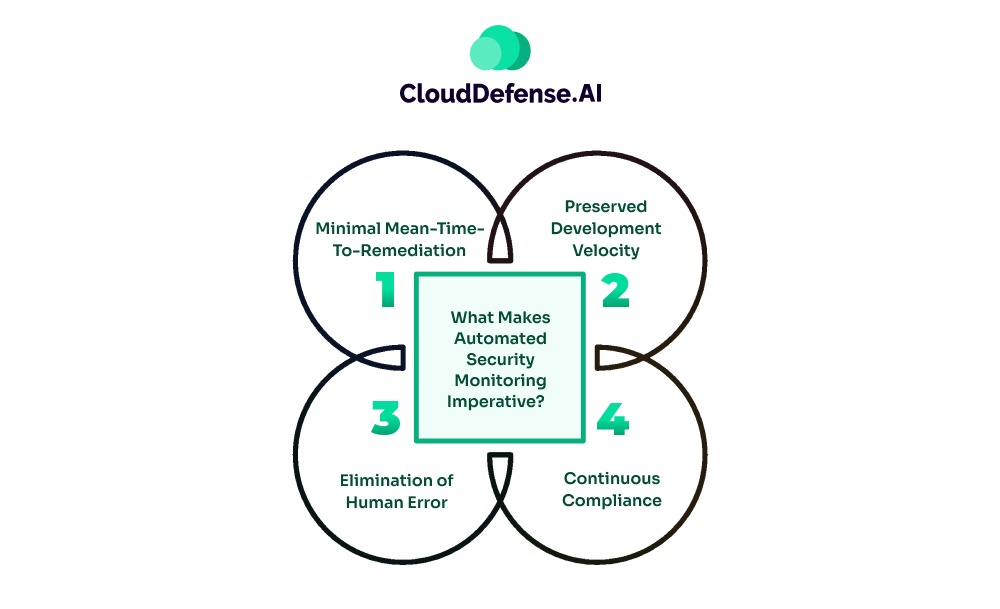
Automated security monitoring has a simple approach: it makes sure the security guardrails are always active against modern threats.
When an enterprise implements this practice, it benefits them by offering:
- Minimal Mean-Time-To-Remediation: Deploying continuous AppSec automation monitoring enables teams to discover vulnerabilities as they appear. Security professionals can quickly implement necessary fixes rather than finding them many weeks later. As a result, attackers don’t get a window of opportunity to exploit the threat.
- Preserved Development Velocity: Rather than needing to make a massive change in the application before deployment. Developers can quickly remediate any flaws as they appear and ensure high-velocity deployment is preserved. Importantly, it prevents developers from engaging in a time-consuming remediation task.
- Elimination of Human Error: Another reason that makes continuous AppSec automation imperative is minimal human error. It ensures all the security policies and compliance checks are enforced consistently without any oversight. This ensures no flaw or unusual behaviour goes unnoticed.
- Continuous Compliance: Most industry standards like SOC 2, PCI-DSS, and ISO 27001 nowadays require enterprises to maintain continuous monitoring of their security posture. Scheduling vulnerability scans at every interval enables the organization to be audit-ready.
Major Pitfalls with Point-in-Time Security Scans
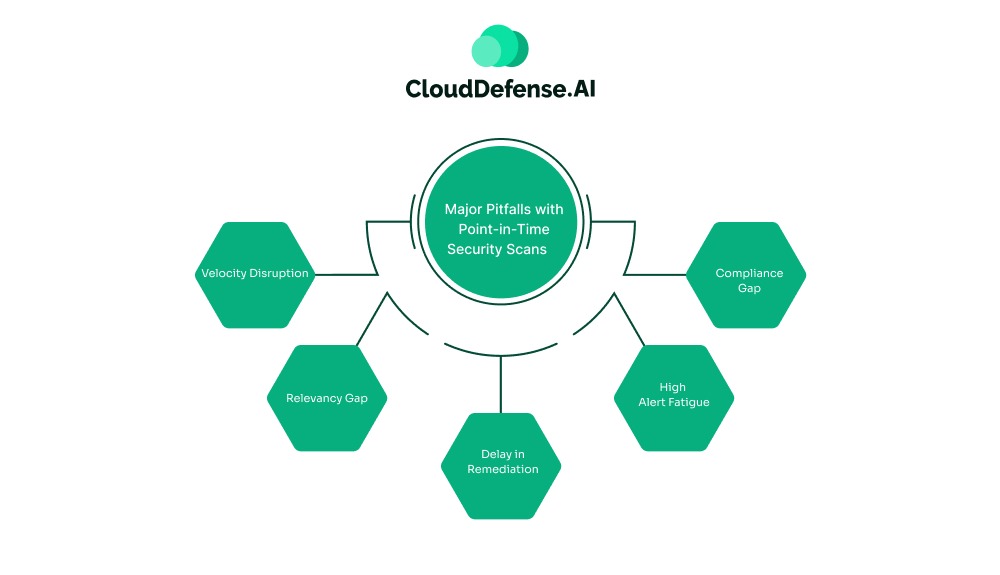
Historically, point-in-time security scans have been the standard norm for AppSec strategies. Security teams used to run security scans like SAST and SCA at specific intervals.
However, in today’s DevSecOps, where developers utilize an agile approach, this methodology becomes inefficient and introduces issues:
- Velocity Disruption: Standard security scanning takes hours and sometimes days to accomplish the scanning of an application codebase. Moreover, it generates a huge report of security findings for the agile development team. It not only stalls the agile development approach but also creates friction among teams.
- Relevancy Gap: Another major pitfall with point-in-time security scans is the relevance gap it creates between two scans. A sudden configuration drift or update in the dependency can give rise to security threats which, if exploited, can cause a breach.
- Delay in Remediation: Point-in-Time security scans are conducted weekly and even in months. When a security threat appears in the meantime, it stays undetected for weeks, causing the AppSec posture to weaken. It takes weeks to detect the threats and remediate them, leading to a huge fixing cost.
- High Alert Fatigue: Legacy scanners operate on preset rules and identification techniques that generate a huge number of false positives. As a result, teams have to stop their productive work and spend hours triaging all the security findings.
- Compliance Gap: Point-in-time security checks also lead to compliance gaps, which can result in a huge fine for any enterprise. Modern regulatory standards mandate that every organization maintain continuous compliance with complete, audit-ready data.
Scheduling Automated Security Scans with QINA Pulse
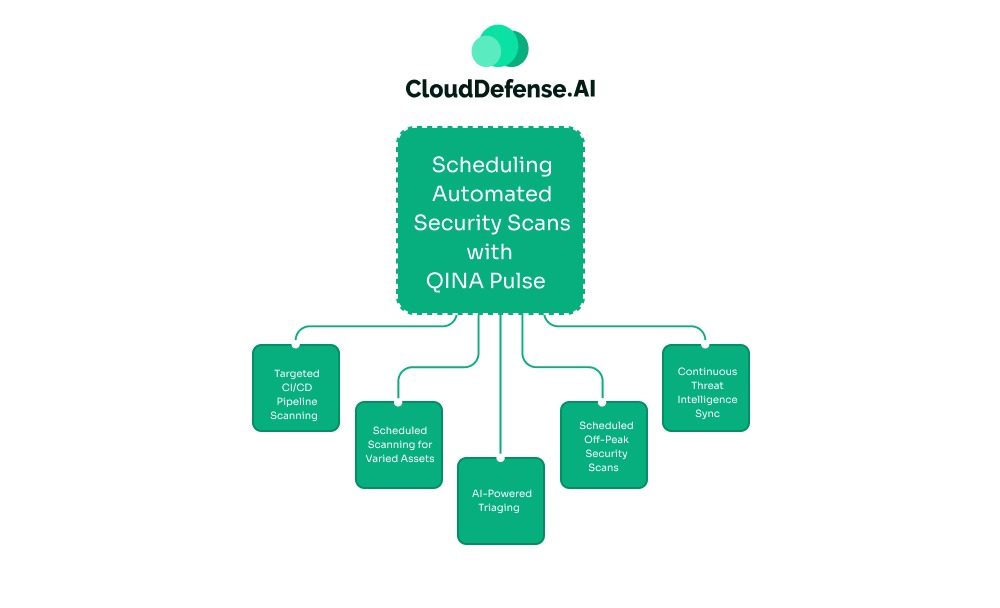
When it comes to deploying automated scheduled vulnerability scans, the security and engineering team requires a modern and AI-powered approach. QINA Pulse helps teams implement their automated security monitoring by leveraging advanced AI and ML.
Pulse enables teams to introduce a policy-driven and smart-scheduled vulnerability scan that adheres to the organizational requirements. Unlike the traditional approach, this security co-pilot utilises AI to efficiently scan codes without deteriorating the development speed.
Here is how QINA Pulse helps in scheduling continuous security monitoring:
Targeted CI/CD Pipeline Scanning
QINA Pulse is designed to integrate natively with the CI/CD pipeline and is configured to perform automated scans when a specific event is triggered. When a pull request or code request is made, it will trigger a security scan.
By scanning only the code changes along with their dependencies through automated security monitoring, Pulse is able to deliver within 30 seconds. This allows the team to identify and respond to high-impact vulnerabilities, including zero-day attacks.
Scheduled Scanning for Varied Assets
Every application has different scanning requirements. An application handling various customer information or sensitive data requires continuous scanning for changes, while a legacy API might require scanning at different hours of the day.
Pulse allows the team to orchestrate scheduled security scans based on the asset criticality, business aspect, development velocity, and regulatory standard.
AI-Powered Triaging
A defining feature of QINA Pulse is its AI-powered triaging capability. It leverages advanced AI and ML to perform scans and triage security findings based on context. When scheduled automated scanning is accomplished, it provides an actionable and prioritized list of vulnerabilities that developers can quickly respond to.
Scheduled Off-Peak Security Scans
Not all the security scans are fast and deliver reports within minutes. Enterprises need to perform deep contextual analysis, like complete SAST scanning, which is time-consuming and resource-intensive.
Pulse enables security teams to schedule such full-scale scans during off-peak hours. This allows the security scanners to utilize heavy computational resources without interfering with the active development workflow.
Continuous Threat Intelligence Sync
Zero-day threats can appear from any source. An AI-generated code using a library that was free from vulnerability a few days ago may carry a threat after a few days. Pulse helps in eliminating this gap by providing continuous AppSec automation in the background.
It tallies all the software inventory against threat-intelligence feeds in real-time to ensure optimum security posture. Pulse conducts continuous security scans across your application environment and sends alerts immediately when a security team is identified.
Step-by-Step Guide on Scheduling Automated Scans
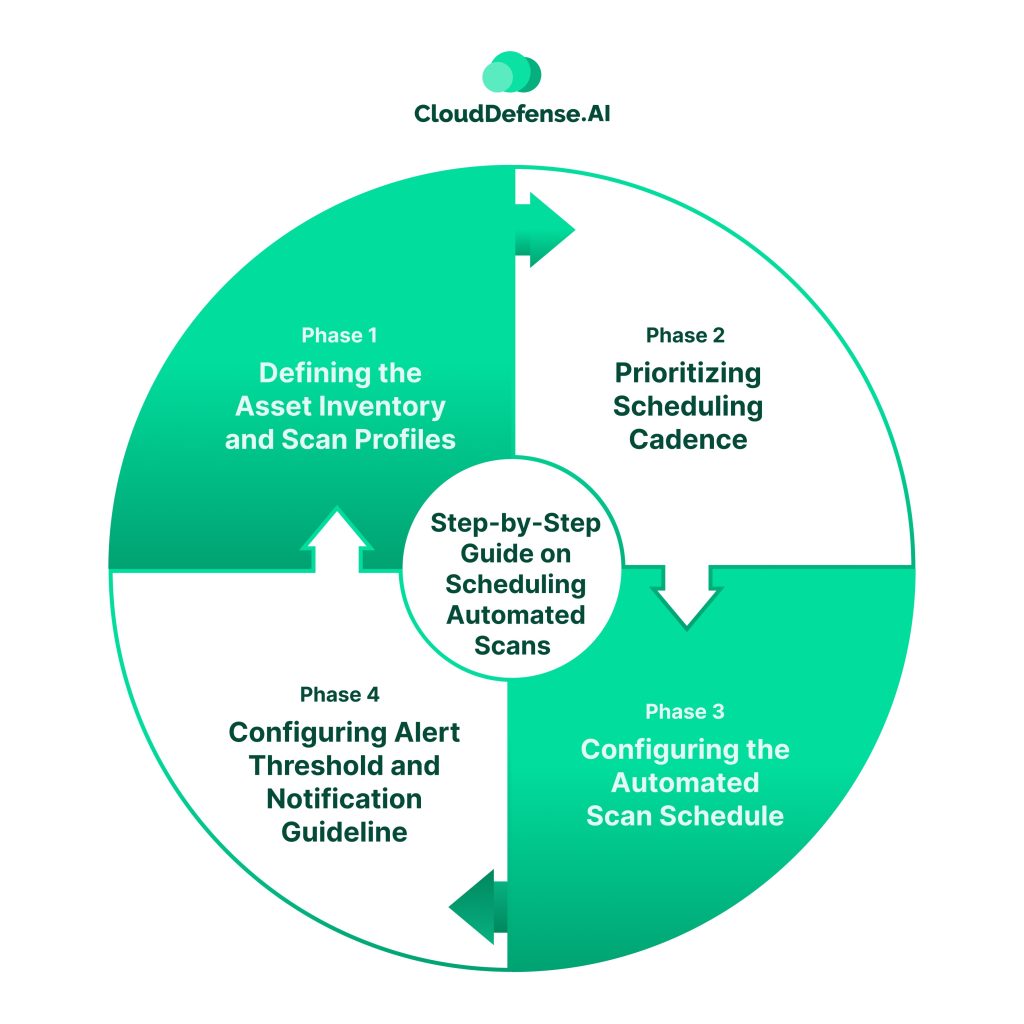
Setting up scheduled automated security monitoring is a multi-layered workflow. Here is a brief step-by-step guide to set up scheduled scans with QINA Pulse:
- Defining the Asset Inventory and Scan Profiles: Before starting out with scheduled automated scans, Pulse requires enterprises to define their assets and scan profiles. Pulse enables teams to import assets and categorise them into appropriate groups. Besides, enterprises also need to define the scan profiles that will be useful for different use cases. Security teams can choose from a complete vulnerability assessment, a lightweight scan, an application scan, a network surface scan, and others. It would be ideal to use a combination of profiles for automated security monitoring.
- Prioritizing Scheduling Cadence: Every enterprise asset has different scanning requirements. A deep scan of all the assets can cause alert fatigue and lead to unnecessary use of resources. Based on asset criticality, organizations need to define the scan type and frequency and send it to Pulse. It will enable the security assistant to automate scheduled vulnerability scans according to defined scheduling.
- Configuring the Automated Scan Schedule: When it comes to configuring the scanning schedule, the QINA Pulse scheduling makes the workflow seamless for security professionals. The security assistant enables enterprises to schedule scans through simple commands. Teams can choose from different scanning schedules and select target groups along with a scan policy. Recurring and Event-Driven Triggered scans are widely used by enterprises to orchestrate all the scheduling.
- Configuring Alert Threshold and Notification Guideline: Apart from scheduling automated security monitoring, security teams also need to configure the alert threshold along with the notification guideline. It will ensure the security alerts are sent to the right team. The alert threshold should be configured based on asset tag, exploitability, severity threshold, and other contextual aspects.
Best Practices for Managing Scheduled Automated Security Monitoring
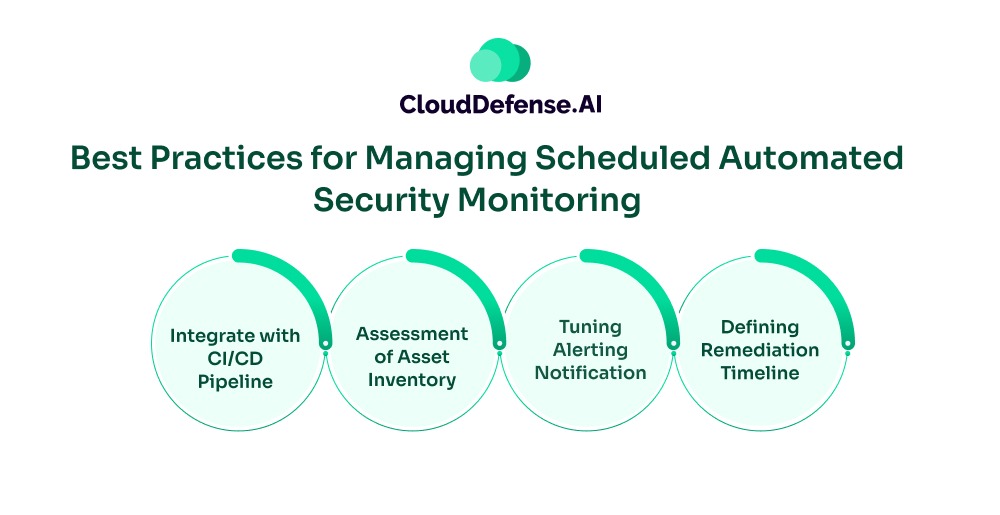
Successfully implementing scheduled automated security monitoring depends not only on the configuration but also on the security culture and operational alignment. Here are some best practices for achieving true automation through Pulse:
- Integrate with CI/CD Pipeline: Ensure QINA Pulse is integrated with the CI/CD environment to trigger immediate scans during development. Whenever a threat is flagged, it will enable developers to remediate it without hampering development velocity.
- Assessment of Asset Inventory: The effectiveness of Pulse’s automated vulnerability scan depends upon scope. Teams must assess all the Pulse’s asset inventory after every interval and ensure the security assistant can discover all the blind spots.
- Tuning Alerting Notification: Developers should be notified immediately only when a critical vulnerability is discovered. An enterprise can use tools like Jira to route the alerts directly into the developer’s workflow. The low-impact vulnerabilities should be treated during daily maintenance sprints.
- Defining Remediation Timeline: Teams during configuring schedule threat scans must define the remediation timeline depending upon the threat severity. The timeline must be tracked at regular intervals to ensure true automated scheduled scanning.
The Bottom Line
In modern times, where vulnerabilities are getting sophisticated with time, relying on point-in-time security scans makes application security vulnerable. Implementing scheduled automated security monitoring through QINA Pulse serves as a strategic move that enables enterprises to shift to a proactive and governance-focused approach.
In doing so, CISOs and CTOs can significantly improve the overall AppSec and optimize the risk profile while maintaining a high-velocity development workflow. Pulse assists enterprises in scanning all their assets smartly at specific schedules without slowing down the business.